
Track Claude Code adoption and use in Swarmia

Introducing AI tools like Claude Code is one thing — getting your teams to actually use them is another. To help you bridge that gap, you can now track Claude Code adoption and activity patterns directly in Swarmia, along with your GitHub Copilot and Cursor data.

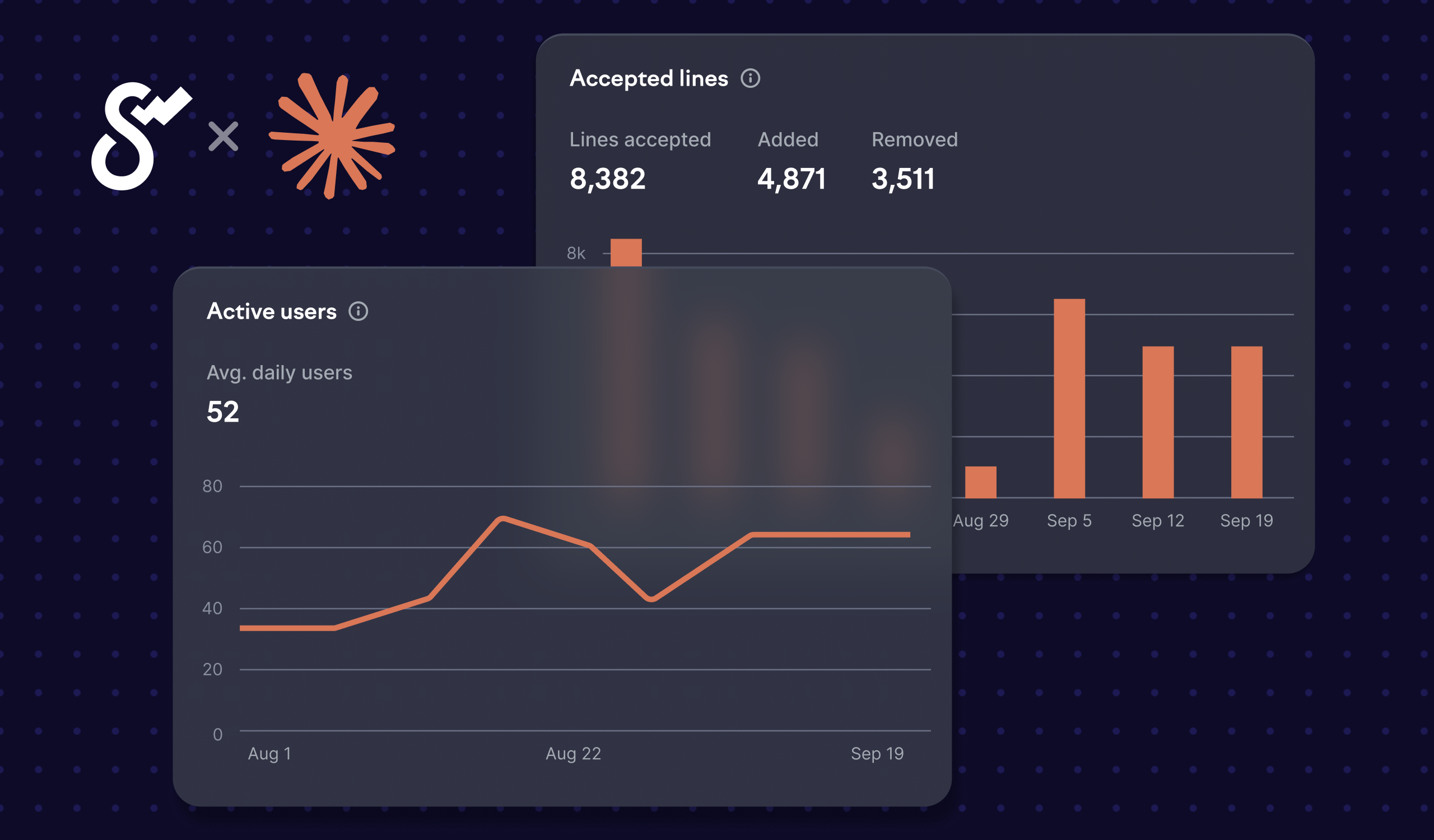
In metrics / AI assistants, you’ll see user-level Claude Code licenses and daily activity data across teams and time periods. This gives you a quick overview of who has access to the tool and how actively they’re using it.

For deeper analysis, navigate to insights / Claude Code and select any team to see:

  • Accepted and rejected tool action proposals over time
  • Number of lines changed by Claude Code

This visibility helps you spot where Claude Code is catching on and where further guidance may be needed. It helps you tell whether people are just experimenting with the tool or actively relying on it in their daily work, notice patterns in how action proposals are being used, and identify unused licenses.

To start tracking Claude Code usage, you’ll need a Claude organization admin to create a Claude Code Admin API key. Once you have it, copy the key to the AI assistant settings in Swarmia.

The integration is currently available only if you’re authenticated through the Claude Console (the default option). If you’re using the Claude App or setups deployed via third-party cloud providers, please reach out to hello@swarmia.com.


Subscribe to our newsletter

Get the latest product updates and #goodreads delivered to your inbox once a month.

More changelog updates
Nov 10, 2026

Support for all Codex setups

Until now, you needed a ChatGPT Enterprise workspace to connect Codex to Swarmia. Now, Swarmia works with any Codex setup, including ChatGPT Business, API keys, and third-party platforms like Amazon Bedrock and Azure OpenAI. The new integration uses Codex’s OpenTelemetry monitoring to send usage…
Read more→
Nov 9, 2026

Track your Linear cycles in Swarmia

Swarmia now supports Linear cycles. Until now, the sprints view only worked with Jira sprints. Teams that plan their work in now Linear get the same visibility into how each cycle plays out. With Linear cycles in Swarmia, you can: - Track scope increases and carryover to see how much work was added…
Read more→