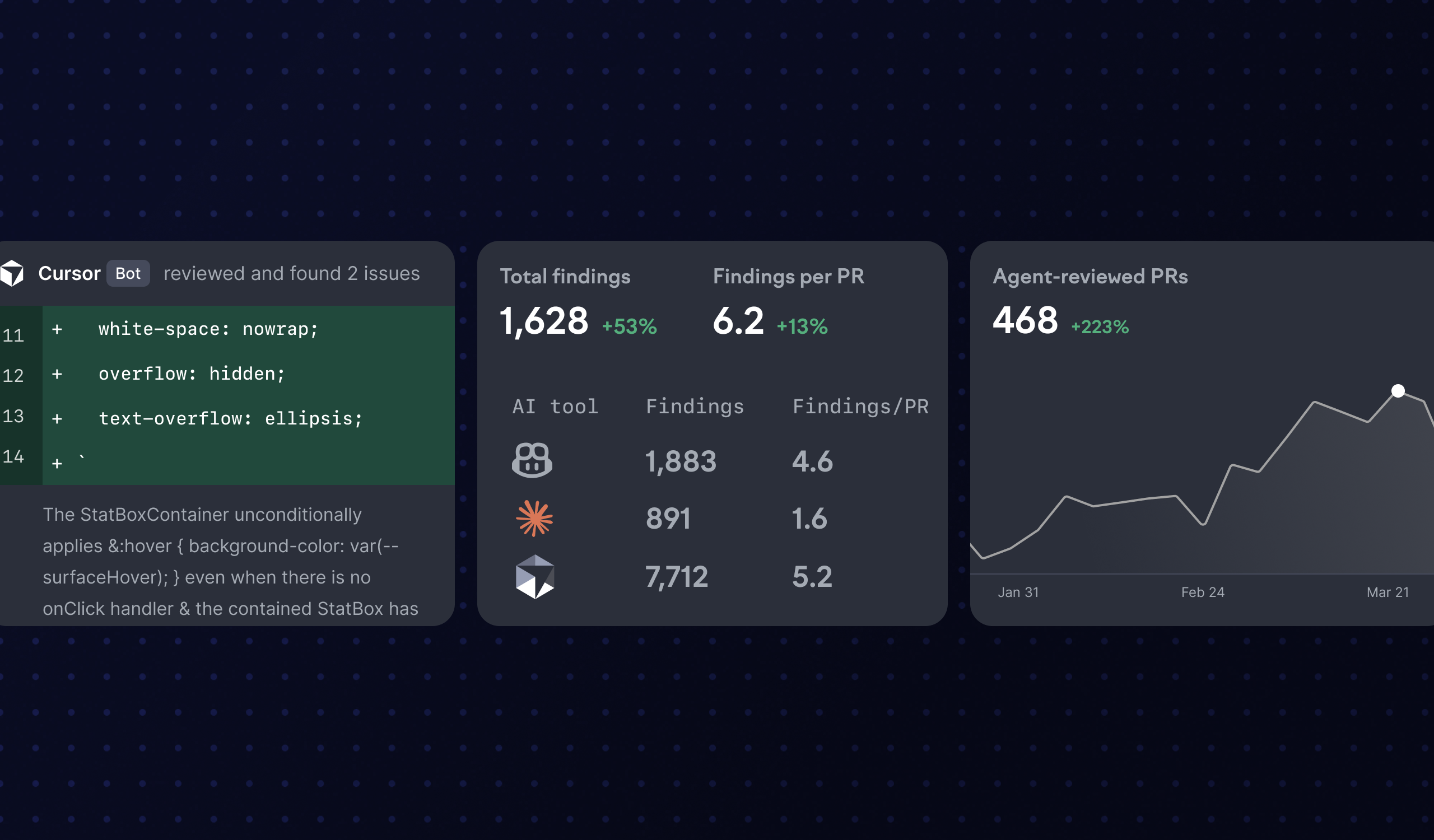
See how AI review agents impact your pull request flow
As the adoption of AI review agents like GitHub Copilot, Claude Code, and Cursor grows, it gets harder to answer the obvious questions: Are these agents actually helping? Which one works best for your team? Are you getting your money’s worth?
Swarmia now automatically identifies which pull requests have been reviewed by AI agents and flags those reviews separately. This gives you the visibility you need to drive adoption, evaluate agents against each other, and understand how they’re affecting your team’s flow.
The new insights show up in three places:
Review agents page. See the share of your pull requests reviewed by each agent, along with how many findings each review surfaced. A handful of findings might mean great code quality, or it might mean superficial AI reviews. Lots of findings can signal real issues or false alarms — either way, it’s worth digging deeper. You can also compare how different teams use review agents.
Review agent mode in AI impact. Analyze how each agent affects your pull request metrics, including time to first review, time in review, and cycle time.
Review agent filter. Slice your data however you need across explore, Swarmia AI, and other views.
The new views work out of the box based on your GitHub or GitLab data — no extra setup needed. Navigate to review agents, AI impact, or any view with the AI tools filter to start exploring.
More updates:
We replaced the old “AI assistant” and “AI agent” filters with an “AI tool” filter that also supports review agents.
The AI impact page now supports grouping by mode and selecting which modes are included in the AI tool comparison. For example, you can compare the GitHub Copilot review agent with the Cursor review agent, or you can compare local Claude changes to the Claude cloud agent.
You can now use the “high confidence only” toggle to make pull request AI tool detection stricter for the “local changes” mode.
We made some improvements to DORA metrics for teams: Change lead time and time to deploy are now calculated based on each team’s own PRs, giving a more accurate picture of a single team’s performance.
DORA metrics are now available for GitLab customers. The metrics auto-populate from your GitLab merge and deploy data. You can also use the deployments API to send us your deployment data.
GitLab customers can now set up Swarmia notifications for Slack. Go to settings → notifications to configure your team’s daily digest, issue summary, review request alerts, and personal notifications.
Subscribe to our newsletter
Get the latest product updates and #goodreads delivered to your inbox once a month.